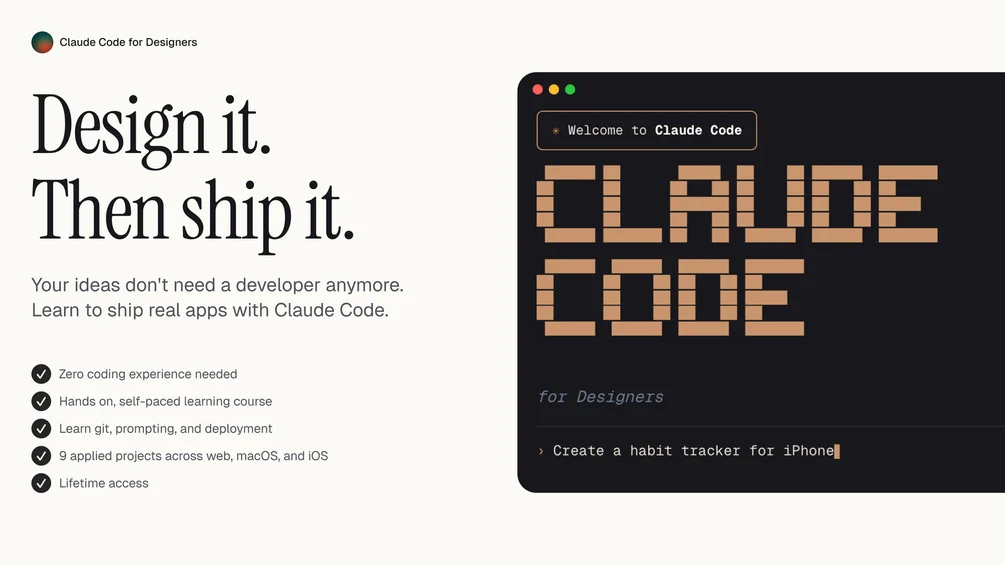
Claude Code for Designers – 2026 Course
$49.99 Original price was: $49.99.$22.00Current price is: $22.00.

Introduction: The Future of Design Is AI-Driven
The design industry is evolving faster than ever. In 2026, designers are no longer limited to tools like Figma, Photoshop, or traditional prototyping platforms. Artificial Intelligence has entered the creative workspace — not as a replacement, but as a powerful collaborator.
This is where Claude Code for Designers – 2026 Course becomes a game-changer.
This course is built specifically for designers who want to use AI to speed up workflows, automate repetitive tasks, generate design systems, create UI components, and even build interactive prototypes using code — without becoming full-time developers.
If you’re a UI/UX designer, product designer, web designer, freelancer, agency owner, or creative entrepreneur, this program shows you how to combine design thinking with AI-assisted coding to create faster, smarter, and more scalable projects.
Why Designers Must Learn AI-Assisted Coding in 2026
Designers who understand how to collaborate with AI have a massive competitive advantage.
Instead of spending hours:
Writing HTML/CSS manually
Debugging front-end layouts
Creating repetitive components
Generating documentation
Building responsive versions
You can automate large parts of the workflow.
AI-assisted coding allows designers to:
Convert wireframes into working code
Generate reusable UI components
Create full landing pages in minutes
Build no-code/low-code tools
Automate client revisions
Create micro SaaS projects
This is not about becoming a software engineer. It’s about becoming a high-leverage designer.
What Makes This Course Different?
Most AI courses focus on developers. Most design courses ignore coding.
This training bridges the gap.
Instead of teaching complex backend programming, it focuses on:
Practical front-end code generation
Design-to-code automation
Prompt engineering for designers
UI system generation
Rapid prototyping
Client-ready production workflows
It’s structured in a way that even non-technical creatives can follow step by step.
Who Is This Course For?
This program is ideal for:
UI/UX designers
Product designers
Web designers
No-code creators
Creative freelancers
Design students
Agency owners
Startup founders
If you design digital products and want to move faster, this course was built for you.
Core Modules Breakdown
1. AI Fundamentals for Designers
You’ll start by understanding:
How AI language models work
How to write effective prompts
How to structure design requests
How to control output style
How to refine AI-generated layouts
This module ensures you don’t just “use AI randomly” — you use it strategically.
2. From Wireframe to Working Code
One of the most powerful sections.
You’ll learn how to:
Turn low-fidelity wireframes into HTML/CSS
Generate responsive layouts
Convert design systems into reusable components
Create landing pages instantly
Build portfolio websites with AI assistance
This dramatically reduces development dependency.
3. Building Design Systems with AI
Instead of manually documenting everything, you’ll learn how to:
Generate typography scales
Create spacing systems
Build color palettes
Produce component libraries
Write design documentation automatically
This is especially powerful for agencies and product teams.
4. Rapid Prototyping & MVP Creation
Want to test ideas faster?
This section teaches you how to:
Build interactive prototypes
Create simple web apps
Generate dashboards
Develop SaaS-style interfaces
Connect front-end with APIs
Designers can now ship working MVPs without waiting for full development cycles.
5. Automating Client Workflows
Freelancers and agencies benefit massively here.
You’ll discover how to:
Auto-generate proposals
Create branded style guides
Produce case studies
Draft UX research summaries
Build pricing calculators
Create landing page variations
This reduces hours of repetitive work every week.
6. Advanced Prompt Strategies for Designers
This module focuses on high-level techniques:
Multi-step prompting
Structured output formatting
UI component generation patterns
Reusable prompt frameworks
Error correction methods
You learn to control the AI like a professional tool — not just a chatbot.
Real-World Applications
After completing the course, you’ll be able to:
Launch client projects 3x faster
Create fully coded landing pages
Build personal SaaS projects
Develop UI kits
Automate documentation
Improve portfolio quality
Offer higher-value services
This is not theory. It’s implementation-focused training.
Benefits for Freelancers
If you’re a freelancer, your income depends on:
Speed
Quality
Efficiency
Output volume
By using AI-assisted design workflows, you can:
Take more clients
Reduce delivery time
Increase pricing
Offer development add-ons
Stand out from competitors
Clients value designers who can deliver both design and functional prototypes.
Benefits for Agencies
Agencies can:
Reduce dependency on developers
Accelerate design sprints
Improve internal collaboration
Cut project turnaround time
Increase margins
AI becomes a production assistant that works 24/7.
Benefits for Startup Founders
Founders can:
Build MVP interfaces quickly
Test ideas without hiring full teams
Create investor-ready demos
Generate pitch deck visuals
Develop landing pages instantly
This dramatically reduces early-stage costs.
Tools Covered in the Program
The course integrates AI with popular design ecosystems, including:
Figma workflows
HTML/CSS basics
Tailwind-style utility systems
Component-based design
Landing page architecture
UX documentation systems
Everything is practical and immediately usable.
Skill Level Required
You do NOT need:
Advanced programming knowledge
Computer science background
Backend development skills
Basic understanding of:
UI design principles
Layout structure
Typography
Color systems
Is enough to get started.
How This Course Improves Career Growth
The design industry is becoming hybrid.
Designers who understand:
Code structure
AI automation
Prompt engineering
System design
Are becoming significantly more valuable.
Learning these skills can help you:
Move into product roles
Become a design technologist
Start your own digital business
Build SaaS products
Command higher freelance rates
The gap between designers and developers is shrinking. This course positions you right in the middle — where opportunity is highest.
Productivity Transformation
After implementing the strategies taught here, many designers report:
50–70% reduction in repetitive tasks
Faster project completion
Higher creative focus
Improved documentation quality
Better client communication
Instead of spending time on routine execution, you focus on strategy and creativity.
Common Myths About AI for Designers
“AI will replace designers.”
False. AI enhances designers who know how to use it.
“You need to be technical.”
Not true. The course is built for creatives.
“Generated code is messy.”
Only if you don’t know how to structure prompts properly — which is taught step by step.
Long-Term Value
The biggest advantage isn’t just faster projects.
It’s:
Thinking in systems
Designing with automation
Building scalable workflows
Creating assets that can be reused
Turning design into production
This mindset shift separates average designers from future-ready professionals.
Final Verdict
Claude Code for Designers – 2026 Course is not just another AI tutorial. It is a structured system that helps designers evolve from purely visual creators into high-leverage digital builders.
In 2026, the most successful creatives won’t just design beautiful interfaces. They’ll:
Generate working prototypes
Automate repetitive tasks
Build micro-products
Launch ideas faster
Control production pipelines
This course prepares you for that future.
If you want to stay ahead in the competitive design industry, mastering AI-assisted design workflows is no longer optional — it’s essential.